
Minecraft: Java Edition launcher
The free Minecraft launcher for Windows and Linux
Cubiq Launcher installs and starts every Minecraft: Java Edition version. It is free, open source under GPL-3.0 and brings everything you need to play: instances, mod loaders, your Microsoft accounts, clips, friends and its own client mod, the Cubiq Client.
Free · Open source (GPL-3.0) · Windows & Linux
Every Minecraft version in its own instance
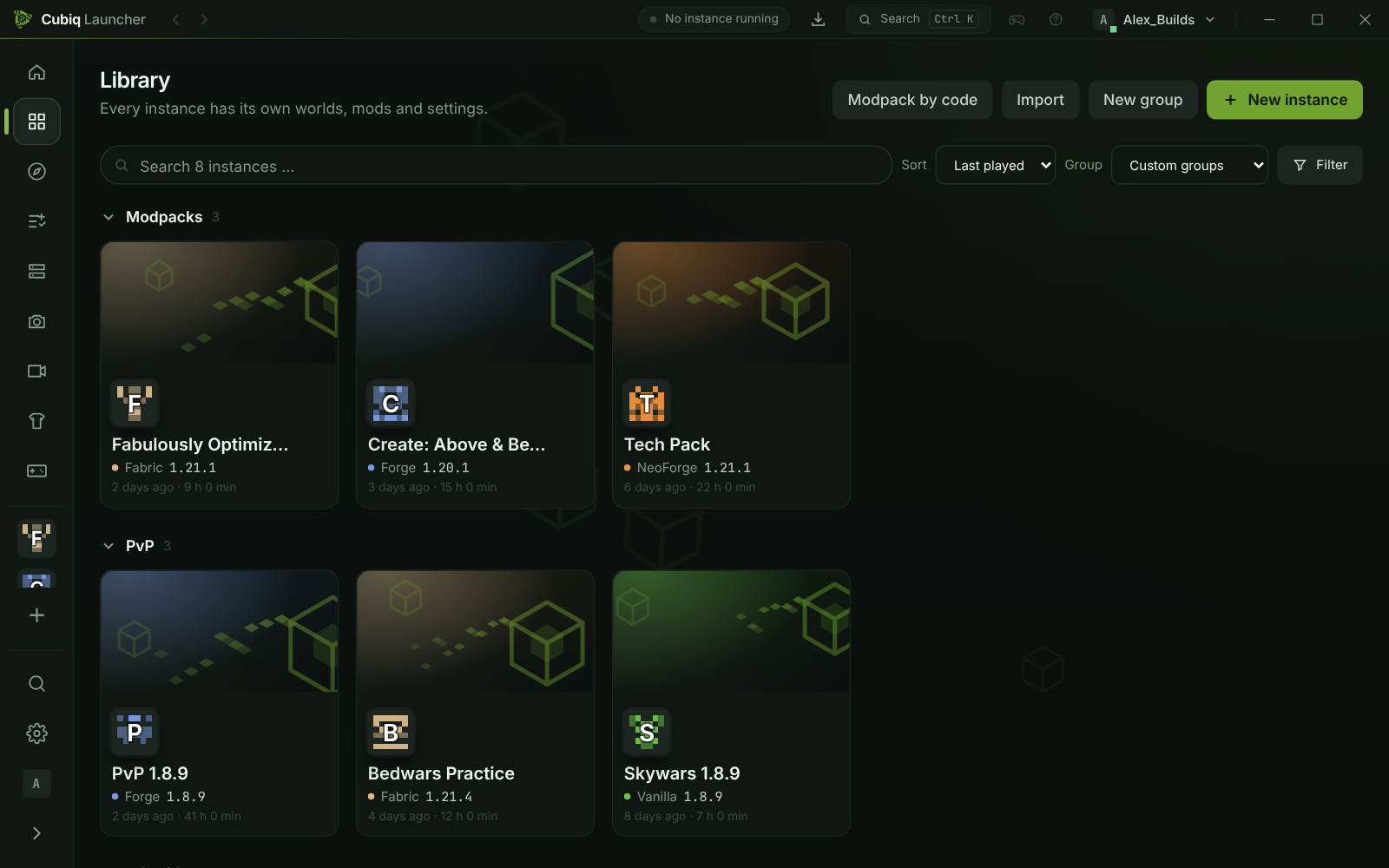
An instance is a separate Minecraft installation with its own version, mods, worlds and settings. Create as many as you like – one for the newest release, one for 1.8.9 PvP, one for a big modpack – and they never get in each other’s way. The library shows them as cards with sorting, filters and your own groups.
Every release from 1.7.10 up to the newest version is available, snapshots included, with Vanilla, Fabric, Quilt, Forge or NeoForge. The launcher downloads the matching Java for every version by itself, so you never have to install or choose Java by hand.
- Vanilla, Fabric, Quilt, Forge and NeoForge with one click
- Java is downloaded automatically for each Minecraft version
- Every instance has tabs for content, files, worlds, screenshots, history and logs
Microsoft login and multiple accounts
You sign in with your Microsoft account on Microsoft’s own sign-in page – the launcher never sees your password. Add several accounts and switch between them right from the title bar. With the Cubiq Client you can even switch accounts inside the game, without restarting it.
Skins and capes have their own page with a 3D preview: collect skins, try them on and put them on your account. With the optional Cubiq services your skin library follows you to every PC.
Bring your instances from other launchers
Already play with another launcher? “Import from another launcher” finds the launchers installed on your PC and shows, for every instance, what comes along: worlds, mods, resource and shader packs, settings and your server list. The Minecraft version and mod loader are detected for you, and imported mods stay updatable.
Sign-in data of other launchers is never read or copied, and their files are only read – your old setup stays exactly as it was.
Clips, friends, chat and world hosting
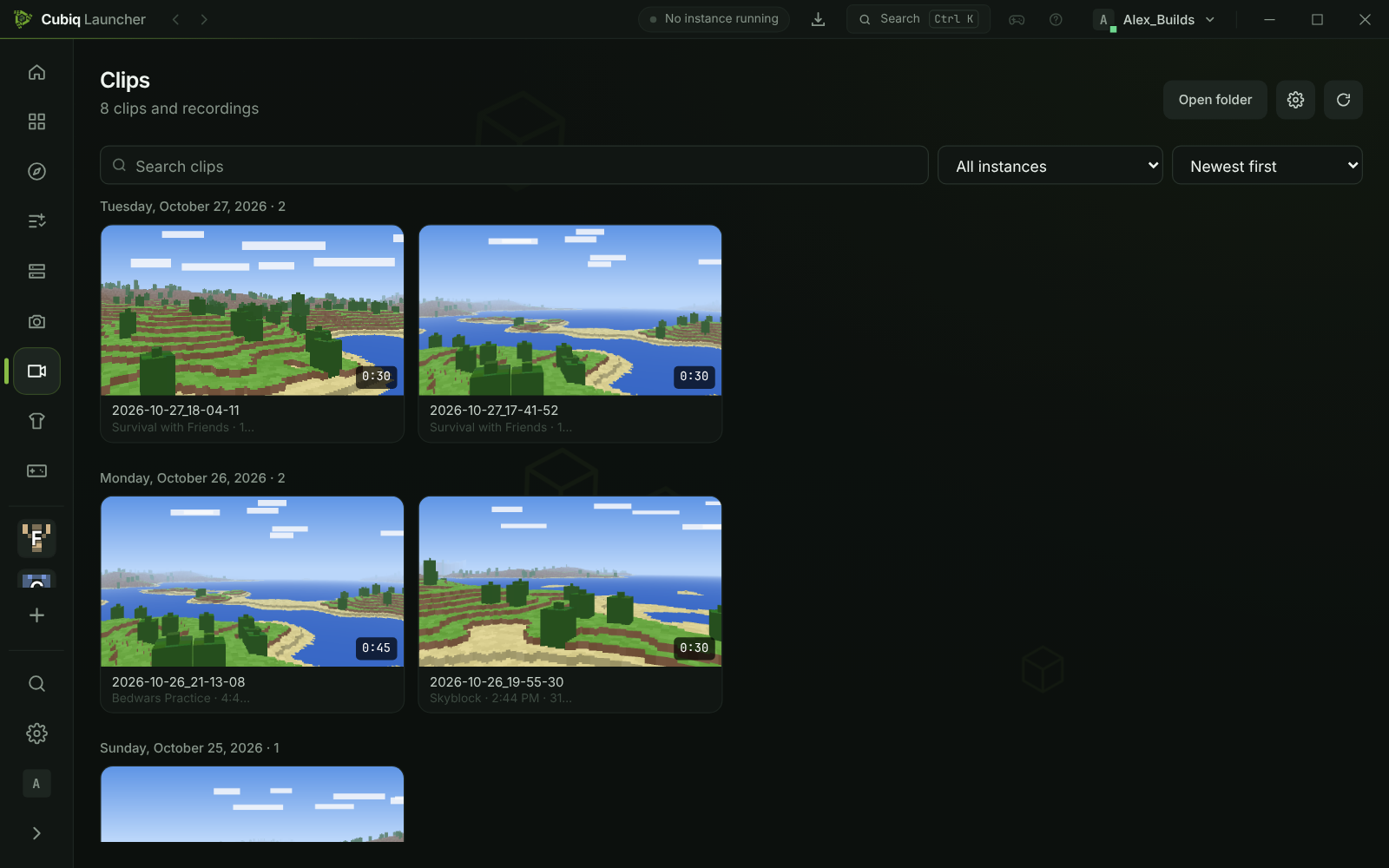
Press F9 in the game to save the last moments as a video clip, or F10 to record a whole session. Only the game window is recorded, and clips stay on your PC; play, trim and share them in the clip gallery. Clips are available on Windows.
With the optional Cubiq online features you get a friends list, direct messages and group chats – in the launcher and in the game. Host your singleplayer world for up to 10 friends without port forwarding: they see it under Social → Worlds and join with one click or a join code.
A crash helper that explains what went wrong
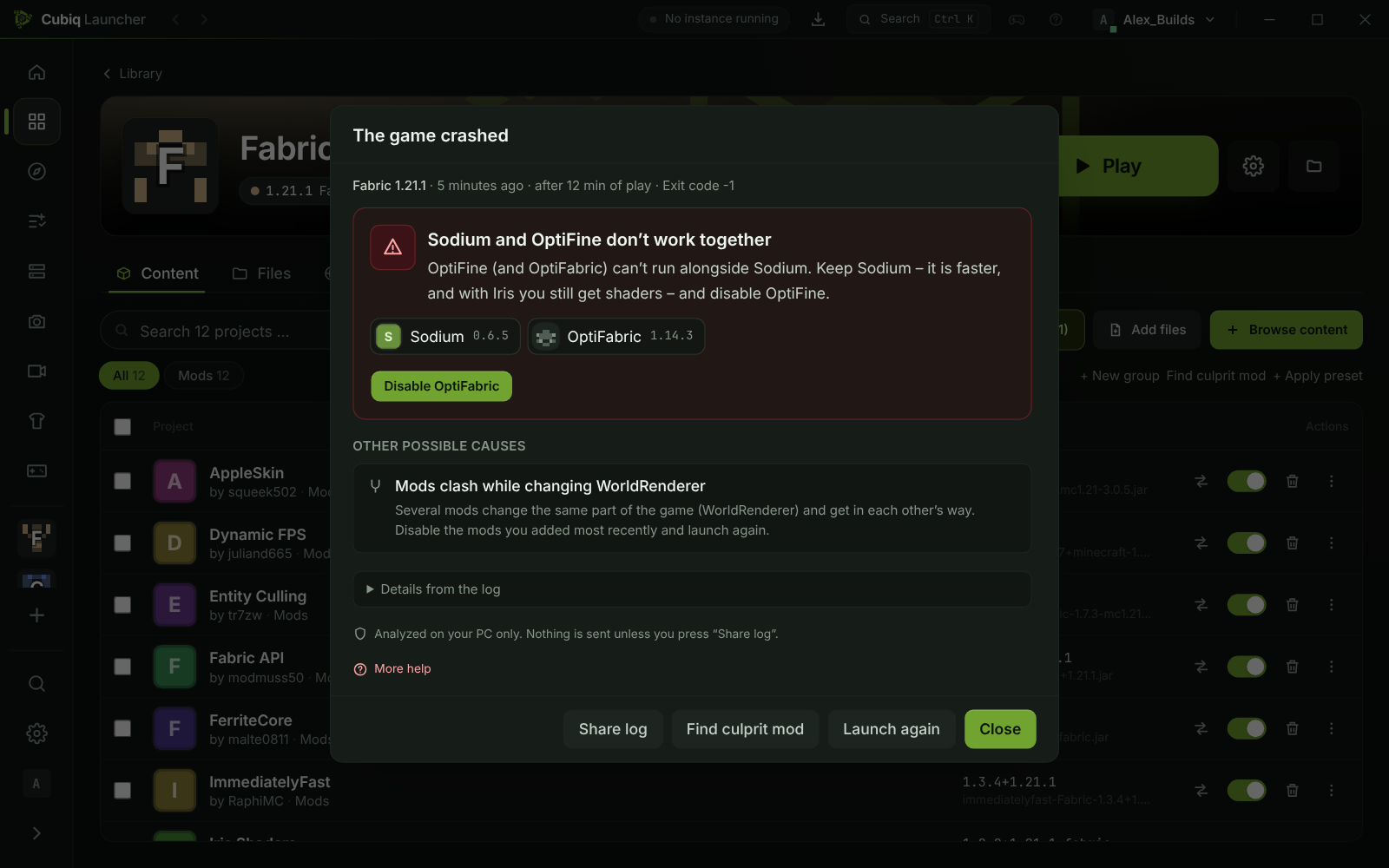
When Minecraft crashes, the launcher reads the crash report and the log and explains in plain words what happened: which mods clash, which dependency is missing, or whether memory, the Java version or the graphics driver is the problem. Buttons like “Disable mod”, “Install dependency” or “Increase RAM” fix it with one click, and every change is confirmed first.
The analysis runs only on your PC. The Logs tab adds search, filters and collapsible stack traces, and you can share a log as a link when you ask for help.
Achievements, automatic updates and eight languages
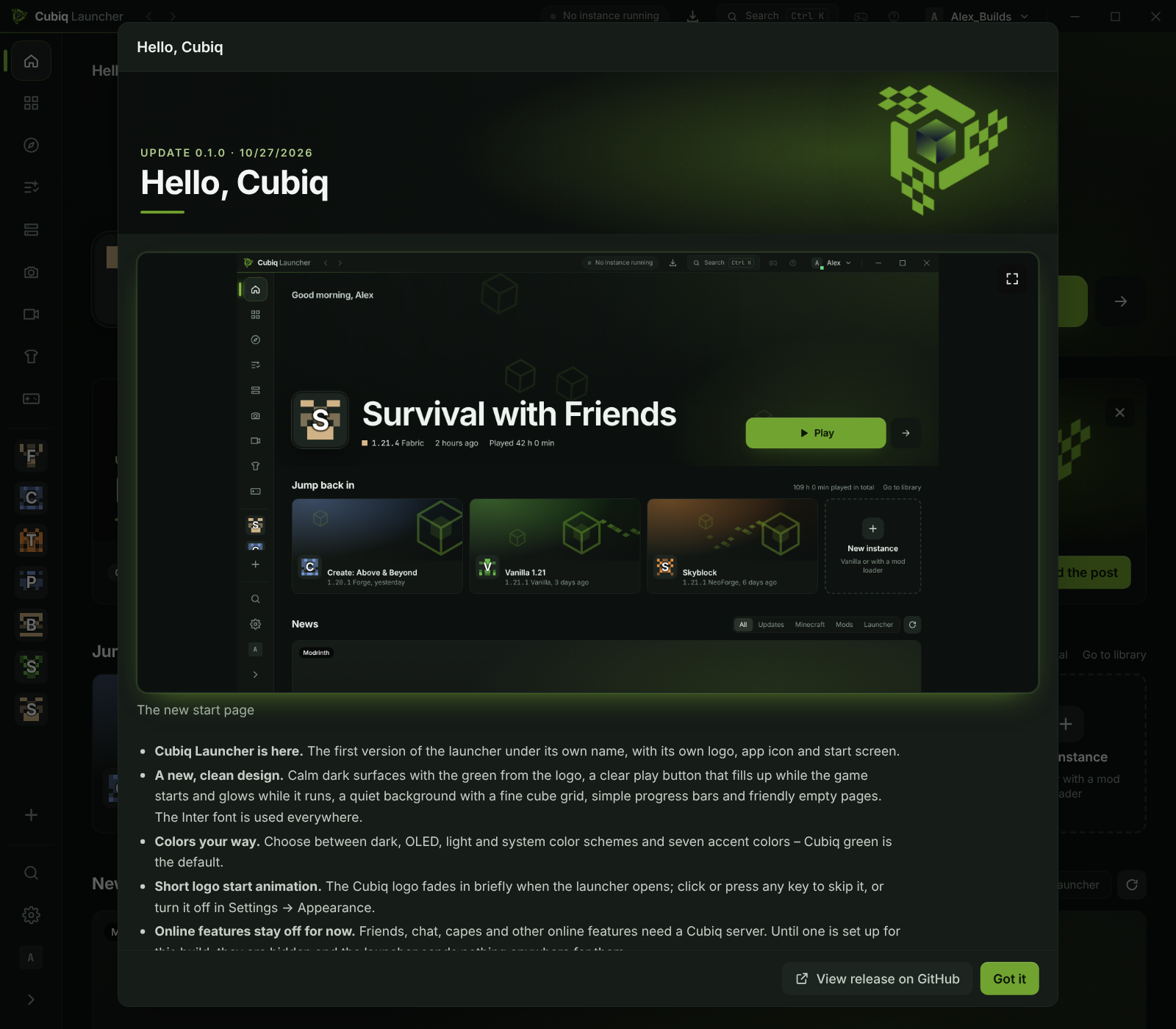
Achievements reward playtime, trying out launcher features and being part of the community; some come with a cape or an emote. New launcher versions download in the background while you play and install with one click, and the Cubiq Client gets fixes through its own update channel.
The launcher speaks English, German and Spanish, plus French, Polish, Portuguese (Brazil), Turkish and Dutch as beta.
Private and open source
Cubiq Launcher has no telemetry, analytics or advertising. Online features such as capes, friends and chat only switch on after you agree, and you can delete all Cubiq data at any time. The whole source code is on GitHub under GPL-3.0, so anyone can check how it works.
On Windows 10 and 11 it installs for your user without admin rights. On Linux it runs as AppImage, .deb, .rpm or from the AUR.
Download for Windows or LinuxQuestions and answers
Is Cubiq Launcher a free Minecraft launcher?
Yes. Cubiq Launcher is free and open source under GPL-3.0. You only need your own Minecraft: Java Edition account.
Is it for Java Edition or Bedrock Edition?
Cubiq Launcher is made for Minecraft: Java Edition. Bedrock Edition is not supported.
Which operating systems does it run on?
Windows 10 and 11 (64-bit) and current 64-bit Linux distributions such as Arch, Ubuntu, Debian and Fedora.
Can I use more than one Microsoft account?
Yes. Add as many accounts as you like and switch between them in the title bar – with the Cubiq Client even inside the game.
Can I move my instances from another launcher?
Yes. Worlds, mods, resource and shader packs, settings and server lists come along, and the version and mod loader are detected for you. Sign-in data of other launchers is never touched.
More about Cubiq Launcher
Get the free Minecraft launcher
Download Cubiq Launcher for Windows or Linux – the Cubiq Client is included.