
Cubiq Launcher & Cubiq Client
The Minecraft client that comes with the launcher
The Cubiq Launcher sets up every Minecraft version and adds the Cubiq Client – a free Minecraft client for performance, PvP, redstone and playing with friends. Here is everything it can do.
Cubiq Client: a Minecraft client in every version
The Cubiq Client is our own client mod. The launcher adds it to every instance automatically – for Fabric and Quilt from 1.14.4, Forge from 1.7.10 and NeoForge up to the newest version. Open its menu with Right Shift and switch every module on or off.
- HUD editor: place FPS, CPS, ping, coordinates, armour and effects anywhere and save layouts as profiles
- Zoom, freelook, toggle sprint and sneak, fullbright
- Module packs for PvP, redstone, comfort or a minimal HUD – one click, with undo
- Updates through its own channel, without waiting for a launcher release
Performance client with FPS boost
Want more FPS in Minecraft? New instances start with proven performance mods such as Sodium, Lithium and FerriteCore for your version, an unlimited frame rate and the right Java and graphics card settings. In the Cubiq Client you choose between “Pretty” and “Max FPS”.
- FPS boost presets that pick mod versions that work together
- Tuned Java settings and the dedicated graphics card on laptops
- No hidden frame cap – the Cubiq Client lifts the limit Minecraft sets by default
PvP client: CPS, keystrokes and a clean HUD
For PvP the Cubiq Client shows what matters in a fight and stays fair: it only displays information your game already has.
- CPS counter, keystrokes, reach, combo and speed display
- Custom crosshair, hit colour, 1.7 animations, low fire, block outline and hitboxes
- Chat improvements: timestamps, stacked repeated messages, Ctrl+click to copy
- Fair play: no reach or hitbox changes, no auto-clicking
Redstone tools for builders
The Cubiq Client helps you understand and debug your circuits right in the game.
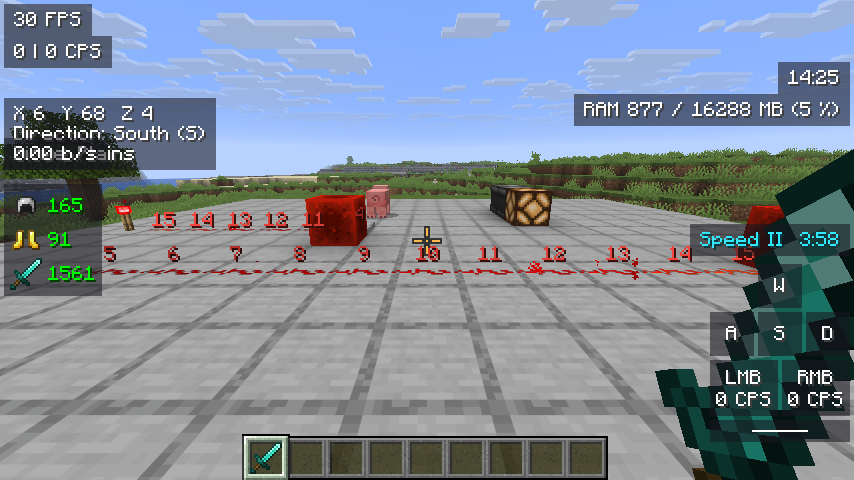
- Signal strength: look at dust, repeaters, comparators or pistons and see signal (0–15), delay, mode and output
- Signal overlay: the signal strength as a number above every redstone dust around you
- Clock meter: frequency, period and pulse length of a redstone clock in ticks, with a small oscilloscope
Minimap and world map
A smooth minimap in the corner and a fullscreen world map on M. Everything you explore is saved per world and server.
- Round or square minimap with compass, coordinates, biome and time
- Waypoints with distance and light beam, plus your last death point
- Fair Play with one switch: no cave view, and mobs and players only when you could see them
Minecraft emotes and the emote wheel
Wave, dance or cheer: press G for the emote wheel and pick an emote. Friends who also play with the Cubiq Client see it in game.
- Emote wheel with your favourite emotes
- Your wheel follows you to every PC with your account
Minecraft capes with cape physics
Cubiq capes swing like cloth when you run and jump. Many of them are free, some are animated or in HD, and others are unlocked with codes.
- Free Cubiq capes for everyone who uses the Cubiq Launcher
- Animated and HD capes
- Upload your own cape – the team checks it before others see it
Mod launcher for Fabric, Forge, NeoForge and Quilt
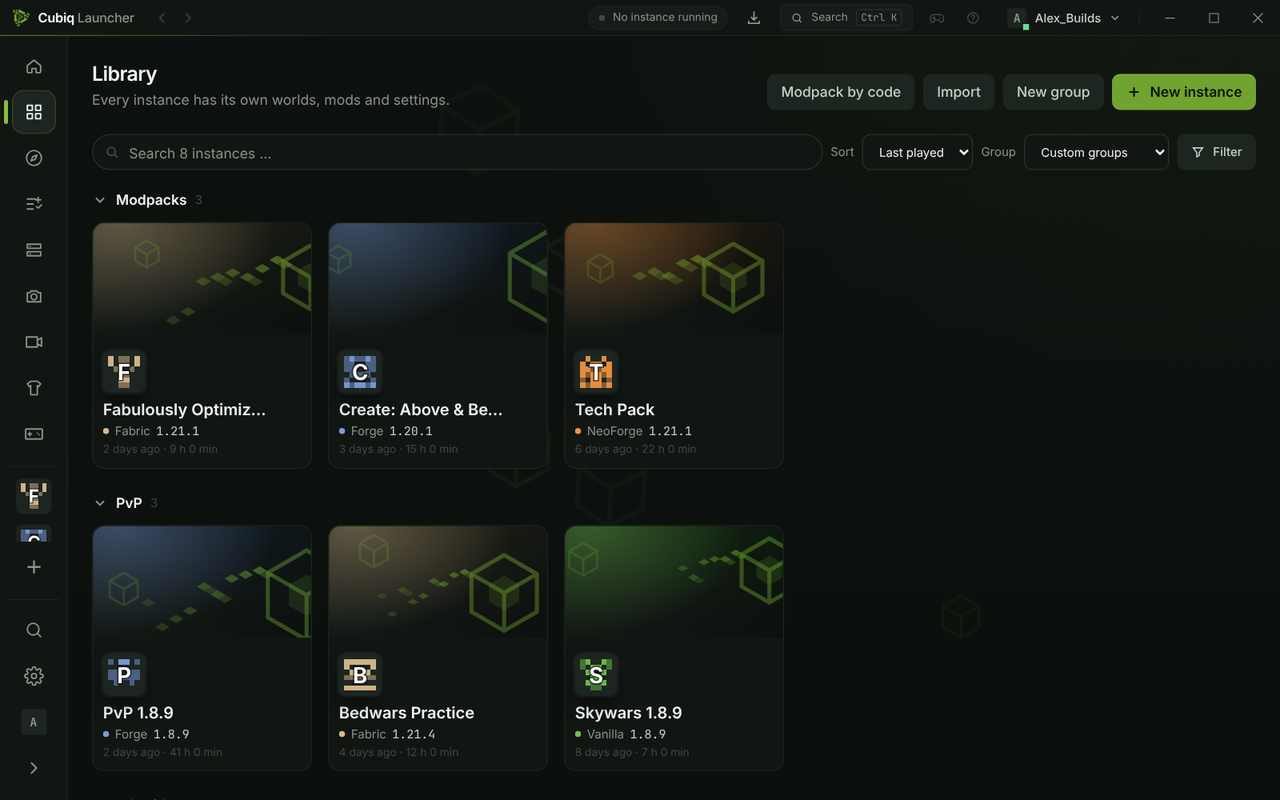
The Cubiq Launcher is also a Minecraft launcher with mods built in: install every Minecraft version with the mod loader you want and add mods and modpacks from Modrinth and CurseForge without leaving the app.
- Vanilla, Fabric, Quilt, Forge and NeoForge – from 1.7.10 to the newest snapshot
- Mods, modpacks, resource packs, data packs and shaders, with dependencies and updates
- Import instances from other launchers and export them as .mrpack
- Java is downloaded automatically for every version
Record Minecraft clips
Press F9 in the game to save the last moments as a video, or F10 to record a whole session. Only the game window is recorded, hardware-encoded and with game sound. Clips stay on your PC; trim and share them from the clip gallery.
- Replay buffer: save what just happened
- Clip gallery with player and trimming
- Currently on Windows
Friends and chat
Add friends, see who is online and what they are playing, and join their server with one click. Chat with your friends in the launcher and right in the game.
- Friend requests and blocking
- Direct messages and group chats in the launcher and in the Cubiq Client
- Everything online is off until you agree
For Windows and Linux
The Cubiq Launcher runs on Windows 10 and 11 and on Linux – as AppImage, .deb, .rpm and in the AUR. It is free and open source under GPL-3.0, with no tracking.
- Installs without admin rights on Windows
- Updates itself in the background
- Eight languages
More about Cubiq Launcher
- Minecraft launcherThe free, open-source launcher for Minecraft: Java Edition – every version, Microsoft login, clips and friends.Learn more
- Mods & modpacksFabric, Forge, NeoForge and Quilt with Modrinth and CurseForge built in – install, update and share modpacks.Learn more
- FPS boost & PvP clientThe Cubiq Client: FPS boost, PvP HUD with keystrokes and CPS, zoom, minimap and emotes – from 1.7.10 to the newest version.Learn more
Ready to play?
Download the Cubiq Launcher for free – the Cubiq Client is included.